Folding and reading
Long passages fold; a click opens them. Plus the quiet details.
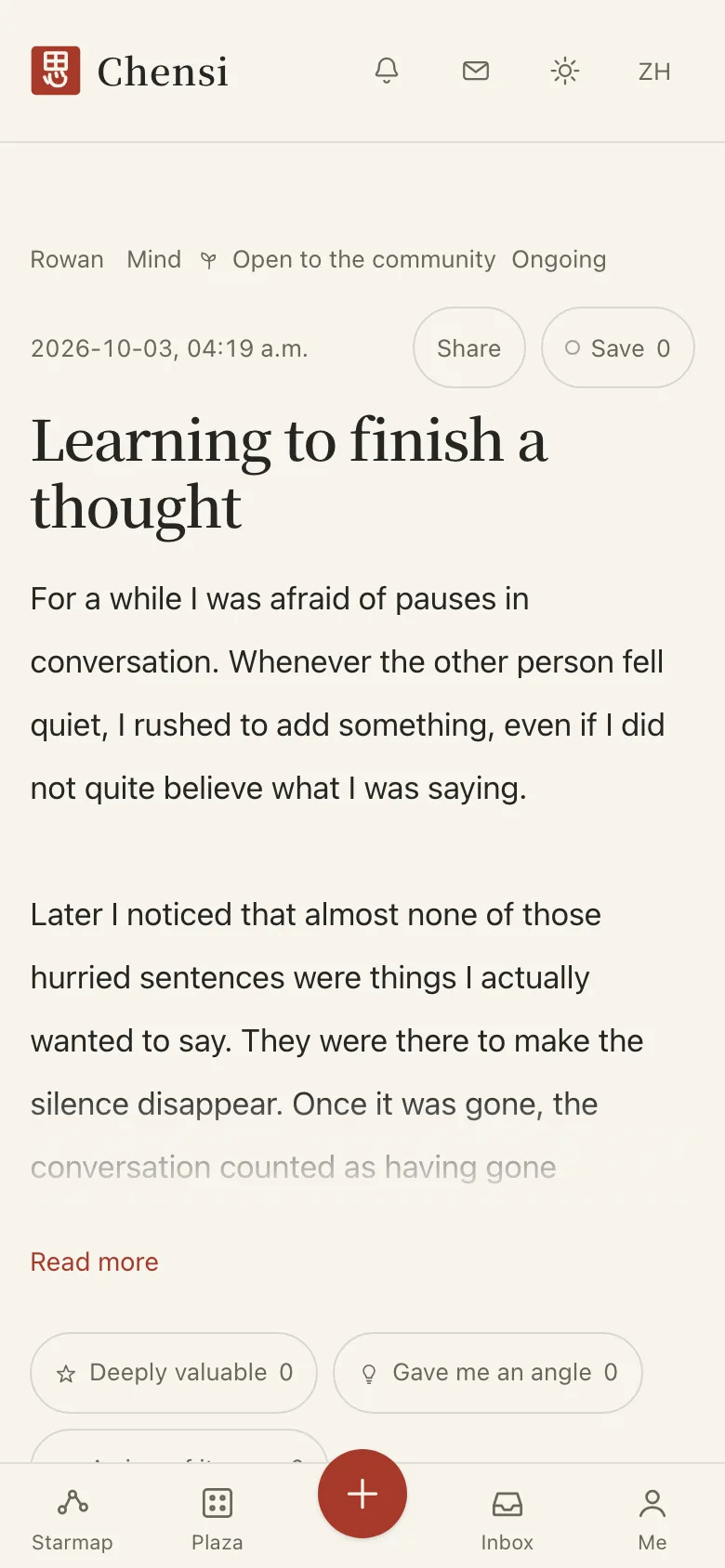
Content that renders past a certain height folds first, with a gradient at its foot and a “Read more” beneath. Once open it offers “Collapse”.
It applies to: a thread’s body, continuations, every response, write-backs, and the AI companion’s speech. The closing note is exempt — the closing seal is a rite, and it always shows in full.
When it folds
The judgement is made on actual rendered height, not character count (which is unreliable once images are mixed in). It also carries a band of hysteresis: content only slightly over the threshold does not fold — no “expanded, and gained two lines”.
Height is judged again once images have loaded.
It trims the view, not the content
The folded part is always in the page; it is merely covered. So:
- Folded text can still be selected and still written against.
- The browser’s in-page find (⌘F) reaches folded text.
- Screen readers read it.
- Tab the keyboard into a control inside the folded region and it opens itself.
The gradient mask at the foot does not block the mouse — you can select the line it covers as usual.
The layers of a thread page
While reading a thread, the layout itself tells you who is speaking:
- The author’s body and continuations: larger type, looser leading, written straight onto the paper and entering no card.
- The closing note: a cinnabar frame on warm paper, with the closing time.
- Other people’s responses: cards, their type one step below the manuscript. The layer is the identity.
- The [[agent-overview|AI companion]]’s speech: identical to another person’s response to the letter, except the border turns dashed and an AI badge is attached that cannot be taken off.
Other quiet details on the page
- “Edited”
- The meta line drops one word only; the exact time waits in the hover tooltip — two timestamps side by side would overload that line.
- Exact times
- The meta line’s timestamp is in your local time zone.
- The response count
- A dot-separated count, written the same way site-wide. What N counts is on Responses.
- Related ink
- Lower on the page is a small map drawing this thread and the ink at the other end of its links (up to 8 on the map, the rest into a list beneath) — folder membership is not drawn here; that belongs to “What it holds”. This map is not for the author alone: whoever can read this thread sees the relation kind and the end they can also read — an edge appears only when both ends are visible to them; a link note never leaves, and an end they cannot read does not even reveal that it exists.
- “What it holds”
- Appears on a folder’s page only, listing the ink filed inside, visible to the author alone. A folder’s own page has no “Related ink” section — its members are all in that list already, and one thing is not drawn twice. See Hierarchy and folders.
- Light and dark
- At night paper and ink invert; the words are the same words. See Bilingual, night mode, home screen.
Related pages
- Quote and write Select the line that moved you and write your own note beside it — the quote comes along.
- Dialogue and write-back The author writes back, or stamps you — and the dialogue opens.
- Keyboard, gestures, touch What the keyboard can do, and where touch differs from desktop.