Inbox
Notes you have not shaped yet, plus the threads you kept to think on. Only you can see it.
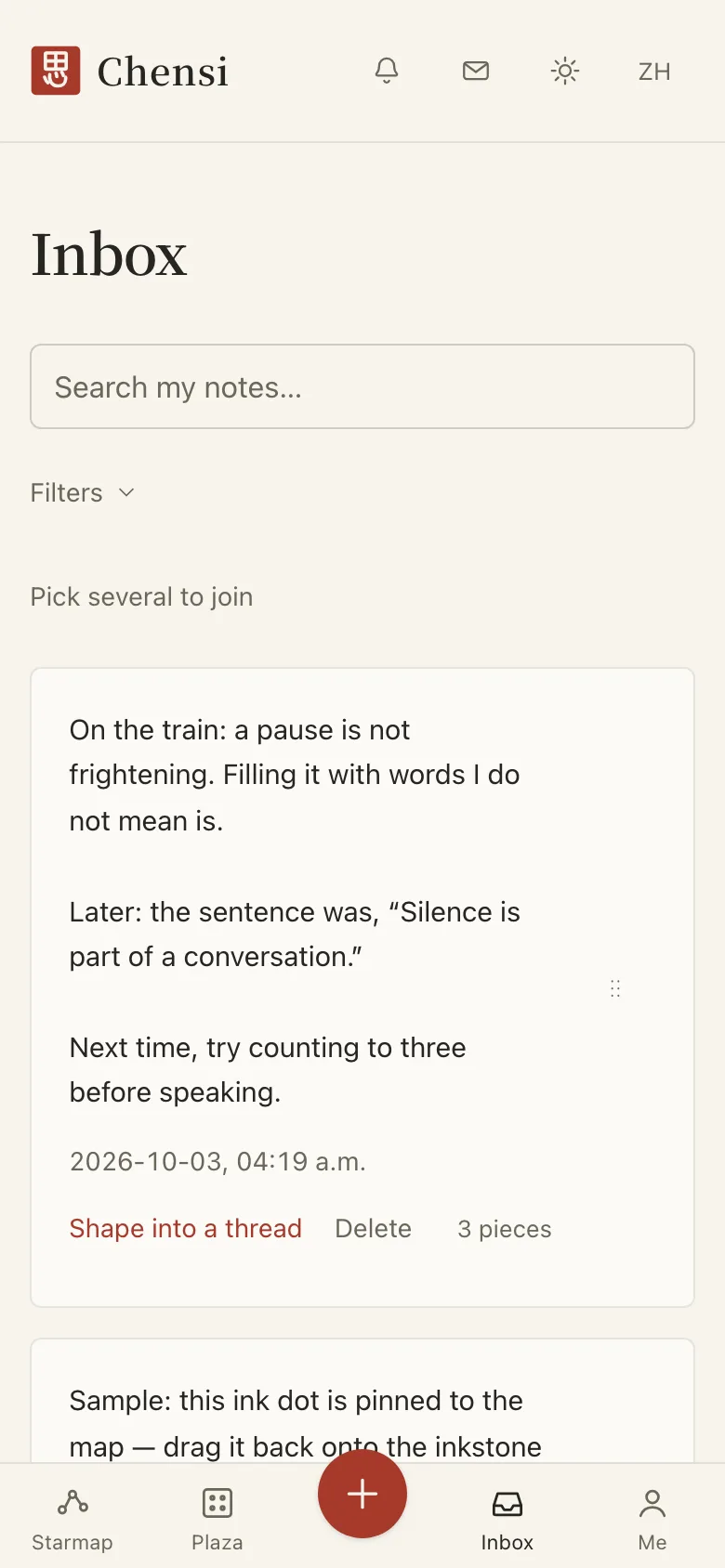
The inbox lists “fleeting notes not yet shaped” — nothing more, nothing less. The moment you shape one into a thread or settle it as a mood, it leaves.
Only you can see it — that is enforced at the database, not hidden by the interface.
Kept cards also appear here: tap “Keep to think on” on someone else’s thread and that thread takes a card in this column — a cinnabar rule on its left, the title, the author, and a summary. Cards and notes share one column, newest first, with no separate section. Write a note against one and the card is replaced in place by your new note; done with it, tap “Let go”.
When notes have piled up and you want to find which ones deserve real thought. Doing nothing is equally fine — a note sitting in the inbox costs nothing, nags nobody, and never expires.
Filters and search
- Search box
- Substring match on note text; kept cards match on their title and summary. Filters as you type — no Enter needed.
- Year / month / day drill-down
- Grouped by your local timezone. Pick a year before a month, a month before a day.
- Kind: All / Notes / Kept
- Two kinds of things live in this column; the switch just shows one at a time.
- No topic or form filters
- A fleeting note has neither topic nor form to begin with — those two arrive at shaping.
On a phone the filter row starts collapsed — tap “Filters” to open it; on desktop it is always open.
What each note can do
- Open a note
- Enter its piece table — pieces listed one by one, editable, splittable, reorderable.
- Shape into a thread
- Go to the shaping page and tick blocks to compose the body.
- Join onto another
- Drag this note onto the lower half of another (on a phone, use the handle at the row’s right), or tap the handle to multi-pick and join in order. See Pieces, recording, and the table.
- Delete
- One confirmation (“erased for good — no recycle bin”), then it is really gone. Notes already shaped cannot be deleted — a stale tab’s Delete tap harms nothing.
- The newest one is highlighted
- Jumping back from capture, the fresh note sits on a warm-paper tint.
- Kept card: write a note / let go
- See Keep to think on, write a note.
Each row prints its piece count (“N pieces”); recorded pieces add a small microphone marker and their own count — audio cleared past its retention period is not counted there.
The list is newest-first. To jump to an older day, use the year/month/day drill-down.
Related pages
- Quick capture One line is worth keeping. It lands in an inbox only you can see.
- Shaping a thread Give a note a real place — or turn it into a mood instead.
- The idea starmap Every idea you have, adrift. Drag to classify, link, and file.
- Keeping and writing back After reading someone else, come back to yourself — write a note now, or keep it to think on.