Hierarchy and folders
Press and hold a few stars, file them into a folder; hierarchy is the orbits inside it.
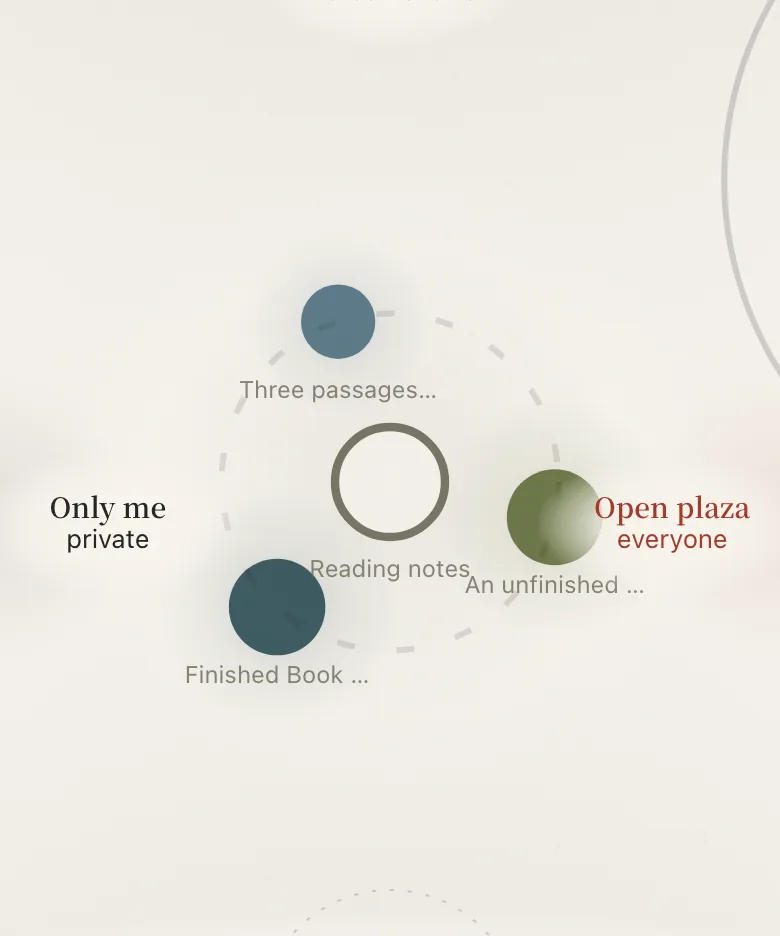
Hierarchy exists inside folders only: the ink filed in one circles it along orbits, inner rings more fundamental, outer rings more peripheral. Two loose threads have no hierarchy between them — to gather things, make a folder (press and hold blank space on the starmap for 0.6 s and you have one).
Folders
Press and hold a few stars, file them into a folder — that is the main road: hold any star on the starmap for half a second to enter multi-select, tap others to add, and once the bottom bar reads “N selected” tap “File into folder”, then pick an existing one from the panel or make a “New folder” (its name comes pre-filled with whichever topic is commonest among the ink you picked, and can be accepted as is). You never leave the starmap.
Other roads: drag one piece of ink onto a folder ball (one step); tap “File into folder” in the author area on a thread’s own page (two steps); or make an empty one first — hold blank space for 0.6 s on the starmap (phone) or right-click it (desktop) and choose “New folder here”: it appears first at the point you pressed, then drifts slowly toward its band’s place like every star (a new folder is in the “Only me” band). The “⋯” → “New folder” at the top right is still there too (that is the route for keyboard and screen readers).
A folder is a thread whose whole job is holding things: it has a name and can carry a line of description, but the reason it exists is to hold other ink.
- A folder’s own page lists what ink is inside; tap a row to go to that piece, and the “Take out” at the row’s end brings it back out. That list is visible to the author alone — membership lives in a separate table only you can read, which is a different matter from what links expose (a link’s relation kind and its other end are seen by readers on the thread page). To open this page: on desktop rest the cursor on the folder ball and the card offers “Open”; on a phone expand it and the name becomes a tappable label.
- When expanded, the ink it holds circles it along orbits: 3 on ring 0, 8 on ring 1, 14 on ring 2, 20 on ring 3, and 8 more on each ring beyond — inner rings more fundamental, outer rings more peripheral. Whatever does not fit sinks into the folder ball, and the hover card says “N more sunk inside”. The whole cluster collides with other stars as one body, and dragging the folder drags the cluster.
- On a phone: how you know something is sunk, and where to fish it out. A hover card is a mouse-only thing, so “N more sunk inside” never shows on a touchscreen. Go to the folder’s own page (expand it and its name becomes a tappable label) — the list heading says “N of them sunk”, and each sunk row carries a “Float out” at its end that puts it back on a ring that can be drawn.
- The orbits turn extremely slowly: inner faster, outer slower (90 to 300 seconds a lap), unnoticeable unless you watch. Hold any star in a ring and that ring stops, resuming from the same spot on release; with the system’s “reduce motion” on, everything stands still.
- Changing level = changing ring: in focus, drag a member toward an inner or outer ring and it settles onto that ring on release. To take it out of the folder, drag past the outermost ring and a stretch further before letting go.
- Clicking a folder enters focus: the camera pushes in on the cluster, only now does the ink inside swing onto its orbits, and the stars outside give up the view entirely. Leave focus and it folds back into a ball on the spot, the ink inside hiding away with it. This is the only kind of expansion on the starmap: it is not stored in the database and not remembered on this device — see A folder is normally just one ball.
- Lines within one folder: when both threads are filed in the same folder, their link appears only inside focus — drawn as a short line between the two points, openable and severable. Between a member and its own folder there is still no line: the orbit is the belonging, and a line would say it twice. To draw a new one: dragging one member onto another inside focus does not link them (a drag changes ring only when dropped on a different ring; released on the same ring it returns to where it was, and if it lands on a neighbour the map points you to multi-select) — hold one to multi-select, tap the other, then “Link these two”; or, for one of your own ordinary threads that is still open, use “Link to another of mine” in the author area of its page (a folder itself, and a closed thread, do not have that button).
Two boundaries: folders do not appear on the plaza (not in the feed, not in search, not in the night sky of ink); and a folder cannot yet go inside a folder — dragging one onto another is refused.
Deleting a folder deletes the folder alone: not one piece of ink inside goes with it; they simply stop hanging under it.
Related pages
- Links and three relations Drag one star onto another. Then say what the relation is.
- The idea starmap Every idea you have, adrift. Drag to classify, link, and file.
- The inner world Where you file the thinking you are done looking at. Take it back anytime.